6 min read
Give Employees a Practical Path to Using AI Well
 Bill Monreal : October 22, 2026
Help employees use AI confidently with approved workflows, clear data boundaries, hands-on practice, and human review tied to business outcomes.

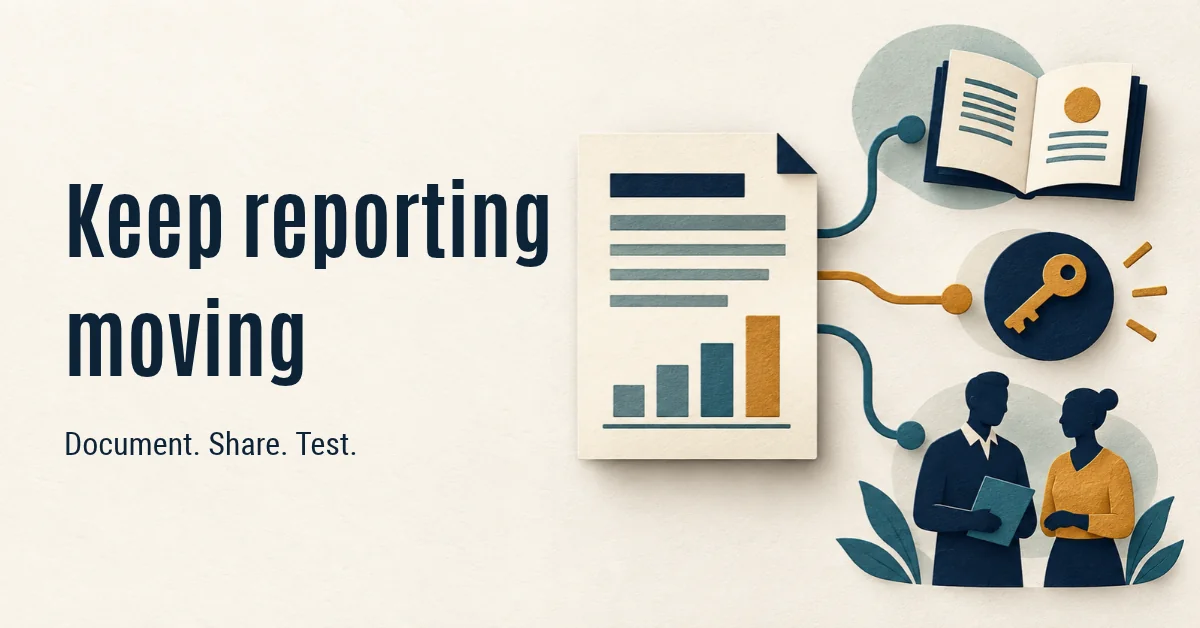
Your reporting expert should be able to take a vacation without taking the company's decision-making process along. If the weekly cash forecast or production report stalls whenever one person is away, start with a practical fix: document the logic, give a trained backup appropriate access, and test whether they can produce and explain the report independently.
Saving the spreadsheet in a shared folder is only part of that work. Someone still needs to know where the numbers came from, which adjustments are legitimate, and when a result shouldn't be used. For a CFO or COO, the goal is continuity: decisions can keep moving, and the person who built the process doesn't have to remain permanently on call.
Start with one report whose absence would delay a meaningful decision. That might be an accounting firm's staffing and workload report or a manufacturer's view of open orders and available capacity. Choose it because people rely on it, not because it's the most complicated workbook.
Ask its owner to walk through the last reporting cycle. Where did the inputs come from? Which date range and filters did they use? What did they change manually? Who checked the result, and what would make them stop distribution?
Listen for phrases such as "I always fix that column" or "we leave those jobs out." Those are business rules waiting to be documented. The employee isn't the problem. They've been keeping the process working. Leadership's responsibility is to give that knowledge a home the organization can maintain.
A useful reporting guide explains the purpose, sources, definitions, preparation steps, checks, and approval route. It also identifies the current owner and backup, where the working files live, and who resolves an exception. Keep it short enough to use during the actual reporting cycle.
Definitions deserve particular care. Does "open order" include a job on hold? Does a workload measure include time that's entered but not approved? Two people can follow the same spreadsheet steps and still reach different conclusions if the underlying terms aren't settled.
Consider a hypothetical manufacturer whose coordinator excludes orders awaiting customer approval from a capacity report. A backup might include those orders and recommend extra shifts. Documenting that exclusion, its business reason, and who can authorize a change helps preserve the decision logic. This is an illustration, not a Monreal IT client result.
Include a worked example using approved or appropriately sanitized data. Record the expected result and explain exceptions. Screenshots can help locate a setting, but they shouldn't replace an explanation of what the setting does.
The backup needs their own approved access to the inputs, working files, and reporting destination. Handing over a colleague's password isn't a continuity plan. Nor is making every sensitive workbook available to the entire company.
Separate the ability to view a report from the ability to change its inputs, formulas, or distribution. Have the business owner and IT team confirm the permissions needed for each responsibility. That connects reporting continuity with cybersecurity risk management, especially when client, employee, or commercially sensitive information is involved.
For files stored in SharePoint, Microsoft's guidance explains how to restore a previous version when version history is available. Check that the feature is enabled and that the right people can use it. Version history can help recover an unwanted file change; it doesn't explain a calculation or establish whether the figures are correct.
Plan access changes when people move roles or leave. Knowing who still has access after an employee leaves matters, but so does knowing which reporting responsibilities need a new owner. Make both part of the handoff.
During a normal reporting cycle, have the backup prepare the report using the written guide and their own account. The usual owner can observe and record gaps without supplying every missing step. Keep the existing review process in place before anyone acts on the result.
Compare the backup's output with the approved result. Check totals, reporting periods, exclusions, and the explanation of any differences. A matching headline number isn't enough if an incorrect adjustment happens to cancel another error.
Ask the backup to explain the report's limitations, too. Can they recognize incomplete inputs? Do they know who can approve an exception? Can they tell the decision-maker that a figure isn't ready to use?
Treat a failed handoff as useful information. Update the guide, resolve access gaps, and repeat the steps that failed. The purpose is to improve the process, not to grade the employee who inherited it.
Once the rules and checks are clear, look for repeatable preparation work that can be automated. Pulling approved inputs or applying a defined transformation may be a better starting point than buying another reporting platform. Fixing software sprawl can also mean making better use of the tools you already have.
Keep a person accountable for exceptions and final interpretation. If AI becomes part of the workflow, settle governance, security, and data readiness before deployment. AI shouldn't be asked to guess undocumented business rules.
Automation needs ongoing support. Microsoft's Power BI guidance calls for clear support responsibilities, documentation, and knowledge transfer. Whether you use Power BI or spreadsheets, identify who investigates failures and who updates the process when a source or definition changes.
Choose one measure for your initial improvement: can the trained backup deliver an approved report by its normal deadline without help from the usual preparer? Record the result and the gaps. Review the handoff when systems, definitions, or responsibilities change.
Reporting continuity and reporting speed are related, but separate. Solving why monthly reporting arrives too late won't help much if nobody else can prepare it. A dependable process needs both usable timing and shared operational knowledge.
If you're comparing managed IT services Cleveland businesses rely on, ask how the provider connects reporting ownership, secure access, and ongoing support. Managed services should support business continuity across the whole environment. Data analytics is about better decisions; IT, cloud, and cybersecurity help keep the information behind those decisions available and controlled.
Leave the dependency untouched, and each absence can trigger another improvised handoff. Address it, and your team has a documented, tested way to keep reporting moving. Through The Monreal Way, our proven process, Monreal IT starts with your business outcome and assesses the connected technology needs. Start Here with our Compatibility Check to see whether we're a fit for helping your organization build that continuity.

6 min read
Bill Monreal : October 22, 2026Help employees use AI confidently with approved workflows, clear data boundaries, hands-on practice, and human review tied to business outcomes.
6 min read
Bill Monreal : October 15, 2026Shared PCs need clear access, safe handoffs, and planned support. Learn what business leaders should include in their IT plan.
6 min read
Bill Monreal : October 8, 2026Keep deployed AI focused on business results with ongoing performance reviews, security checks, human oversight, and a clear plan for changes.