6 min read
Stop Overlooking Shared PCs in Your IT Plan
 Bill Monreal : October 15, 2026
Shared PCs need clear access, safe handoffs, and planned support. Learn what business leaders should include in their IT plan.

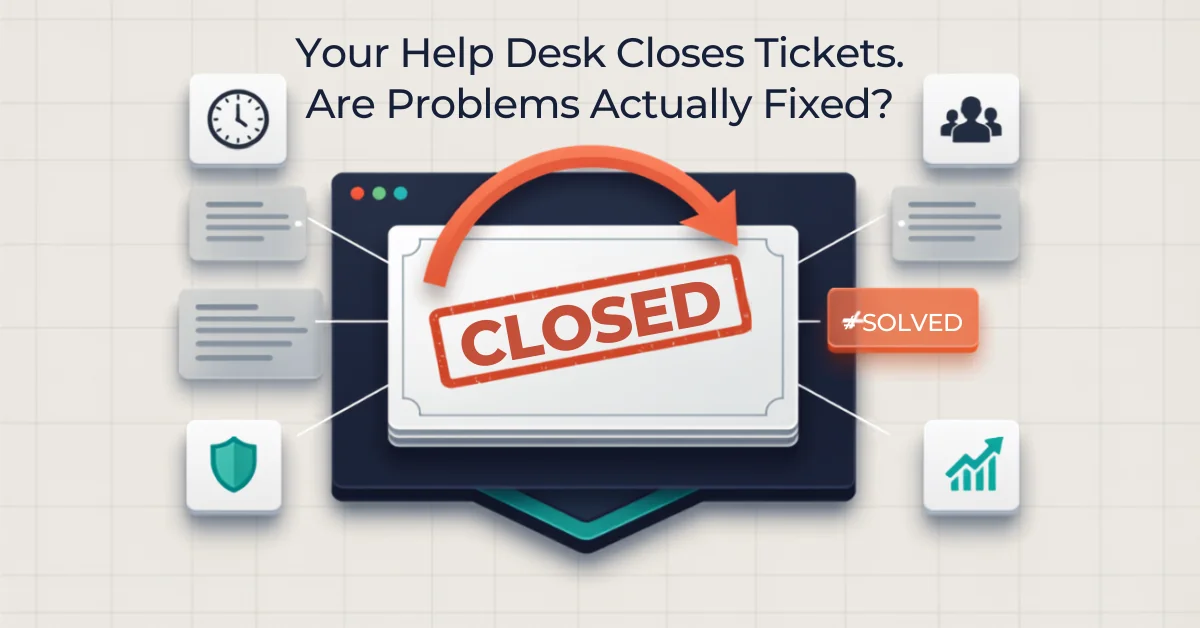
Your help desk reports that 96 percent of tickets were closed on time. That sounds reassuring until you walk through the office and hear a different story.
One employee has restarted the same accounting application four times this month. Another has stopped reporting a printer problem because the workaround takes less time than explaining it again. A manager quietly becomes the unofficial Microsoft 365 expert because everyone knows she'll actually follow through.
The dashboard is green, but the business is still losing time.
That gap matters. A closed ticket records an activity. A solved problem produces an outcome: the employee can work, the issue stays fixed, the risk is handled, and the same disruption doesn't keep returning. If you evaluate your help desk only by ticket count and closure speed, you can miss the problems your employees feel every day.
Ticket volume tells you how much support activity occurred. It doesn't tell you whether that activity protected productive time.
A password reset and a manufacturing workstation outage may each count as one ticket, even though their consequences are completely different. The workstation problem could delay a production run, affect a customer commitment, and pull a supervisor away from higher-value work. Treating both tickets as equal makes the report tidy and the decision-making fuzzy.
Start by grouping issues according to business impact. Track how many people were affected, which process stopped, how long useful work was interrupted, and whether a deadline or customer experience was at risk. This doesn't require an elaborate formula. Even a simple low, medium, and high impact scale gives leadership more useful information than a raw closure total.
When you compare managed IT services Cleveland providers offer, response time matters, but restored productivity matters more. If speed is your only measure, a provider can hit the clock with a quick reply while the employee waits hours for meaningful progress.
Fast acknowledgment is valuable. People should know their request was received, who owns it, and what happens next. But first response time is not the same as resolution time, and resolution time isn't always proof of a lasting fix.
Ask your provider to distinguish among three outcomes:
All three may be reasonable outcomes, but they shouldn't look identical in a report. A good support review makes the differences visible and follows temporary workarounds to completion.
It also helps to agree on how fast an IT provider should actually respond at each priority level. The goal isn't an unrealistic promise that every request will be fixed instantly. It's a shared expectation that urgent business interruptions receive urgent attention and routine requests don't disappear into a digital coat closet.
Repeated tickets are one of the clearest signs that support activity isn't creating improvement. If five employees report the same login issue, you may not have five unrelated incidents. You may have one configuration, training, licensing, or identity problem showing up five times.
Review your top recurring issues each month. Look for repeat requests by user, device, location, application, and category. Then ask a simple question: What would prevent the next ticket?
Sometimes the answer is technical, such as replacing an unstable wireless access point. Sometimes it's operational, such as giving new hires a short guide to the approved file-sharing process. Sometimes the cause is software sprawl that has left teams using overlapping tools and inconsistent workflows.
This is where an experienced help desk should connect daily support with longer-term IT management. The technician restores service today. The broader team identifies the pattern, recommends a root-cause fix, assigns an owner, and verifies that the fix worked.
In our view, this is the line between a ticket desk and a genuine managed services relationship. One gets you through Tuesday. The other makes next Tuesday less likely to go sideways.
Employees don't expect magic, but they do expect clarity. A complicated issue feels much more manageable when someone explains what's happening, gives a realistic update, and owns the next step.
Include a small set of communication measures in your review:
Short satisfaction surveys can help, but don't turn them into a popularity contest. Pair employee feedback with ticket notes, recurrence data, and business impact. A friendly technician with weak follow-through is still a problem. So is a technically excellent technician who leaves employees confused about what to do next.
Many ordinary support requests have a security dimension. Password resets, new devices, employee departures, suspicious emails, software installation, and remote access all touch the organization's risk.
That means cybersecurity responsibilities can't sit in a separate box that the help desk ignores. Tickets should show whether identity was verified before an account reset, whether access was removed completely during offboarding, whether a suspicious message was escalated, and whether an urgent software update was actually deployed.
CISA guidance for MSPs and their customers emphasizes clear responsibility for accounts, updates, backups, and other security duties. Those responsibilities should be visible in your service process, not assumed because a security product appears on an invoice.
The NIST Cybersecurity Framework 2.0 also treats improvement as an ongoing discipline. For a small or midsize business, that doesn't require a mountain of paperwork. It does mean using incidents, support patterns, tests, and reviews to identify changes that reduce risk over time.
You don't need 40 metrics. Start with five that leadership and the provider can review together:
Review trends, not isolated bad days. Every support team will encounter a strange problem, a delayed vendor response, or an issue that refuses to reproduce on command. The better question is whether the provider is candid about those exceptions and whether performance improves over time.
It also helps to watch for common frustrations businesses have with IT providers and warning signs that an IT provider is falling behind. Patterns such as weak documentation, constant handoffs, vague ownership, and repeated temporary fixes rarely correct themselves without a deliberate plan.
A useful monthly or quarterly review should end with decisions, not just slides.
Choose the two or three issues creating the most downtime, frustration, or risk. Assign an owner to each improvement. Set a realistic target and one measure of success. That might mean cutting repeat VPN tickets in half, completing offboarding within a defined window, or reducing workstation failures through a replacement schedule.
Then check the result at the next review. If the change worked, standardize it. If it didn't, adjust the plan. That simple cycle turns support data into continuous improvement and gives leadership a clearer view of the value technology is producing.
Closed tickets still matter. They just aren't the finish line.
The real measure of a help desk is whether people can do their jobs with less friction, whether risks are handled consistently, and whether recurring problems become less common. When those outcomes improve, the dashboard finally tells the same story your employees do.
6 min read
Bill Monreal : October 15, 2026Shared PCs need clear access, safe handoffs, and planned support. Learn what business leaders should include in their IT plan.

6 min read
Bill Monreal : October 22, 2026Help employees use AI confidently with approved workflows, clear data boundaries, hands-on practice, and human review tied to business outcomes.
6 min read
Bill Monreal : October 8, 2026Keep deployed AI focused on business results with ongoing performance reviews, security checks, human oversight, and a clear plan for changes.